
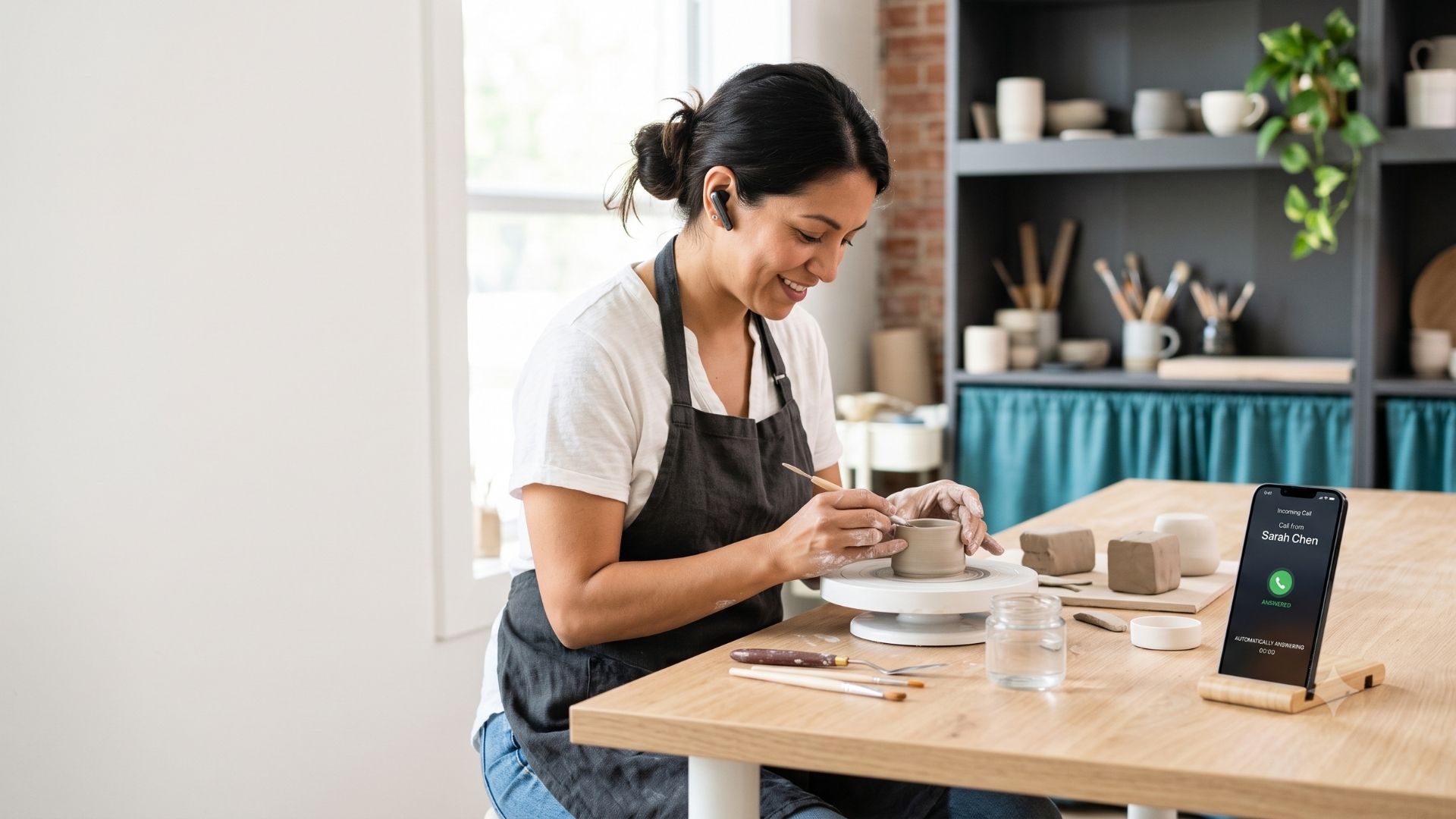
This video walks through how an AI phone receptionist catches every call, filters out robocalls, and hands you a warm lead with a full record of the conversation.
Most business owners tell themselves the customer will leave a voicemail or call back. They won’t. The person calling has a problem right now, and if you don’t pick up, they move to the next name on the list. If that business picks up, the job is gone. A missed call isn’t a missed conversation. It’s a lead that just hired your competitor.
The worry most owners have about AI receptionists is legitimate. The old press-one, press-two experience has been around for 30 years, and a setup like that makes the call worse than no call at all. So the fear isn’t wrong. The setup is. This post walks through what it actually costs you to miss calls, how a well-built AI receptionist handles the front desk, and exactly where the human employee still has to do the work.
What a missed call is actually worth
Before you decide whether an AI receptionist makes sense, run your own numbers. Here’s the formula I walked through live at a Chamber of Commerce event, so you can plug in your own values as you go.
Say you get 50 calls a week. You’re running the job and answering the phone at the same time, so you miss about 40% of them. That’s 20 missed calls a week. Not every missed call was a real customer, so apply a close rate. If you close one in four of the calls you actually answer, you lost five real customers that week. At $500 per customer, that’s $2,500 gone in one week, or $130,000 over a full year.
Now add the calls you did answer. Thirty calls at six minutes each add up to three hours a week on the phone instead of doing the work you actually get paid for. If your time is worth $75 an hour, that’s $225 a week, or $11,700 a year. Together, the missed leads and the time you spent being your own receptionist adds up to around $141,000 a year in this example.
Bottom line: cut every number in half if you want. Cut calls in half, cut the customer value in half. You’re still looking at roughly $65,000 a year. The point isn’t my numbers. It’s yours. Run them with this formula before you dismiss the cost.
Why the fear about AI receptionists is worth taking seriously
If your gut says an AI receptionist is going to sound stiff and robotic, that instinct is correct for a system set up wrong. The wrong tool, configured the wrong way, doesn’t just fail to catch the lead. It puts a bad experience in front of the caller with your business name on it. You’ve lost the lead and left the customer with a reason to remember you poorly.
Two fears come up consistently. First, that it sounds like a recording and makes the call worse. Second, that there’s no way to track what came in, so you’re still losing leads you were trying to catch. Both are legitimate. Poorly set up technology fails businesses. That’s not pessimism; that’s just reality.
The version I’m describing doesn’t have the caller pressing buttons or saying keywords. It opens with “How can I help?” and answers from there. It pulls from a knowledge base to handle basic questions on its own. It also filters out robocalls, which was an unexpected result when I first set mine up. The day captured in the video showed 11 automated calls handled and dismissed without me stopping what I was doing to pick up the phone for junk.
The AI is there to make the call feel human, not to run your business. Those are different jobs.
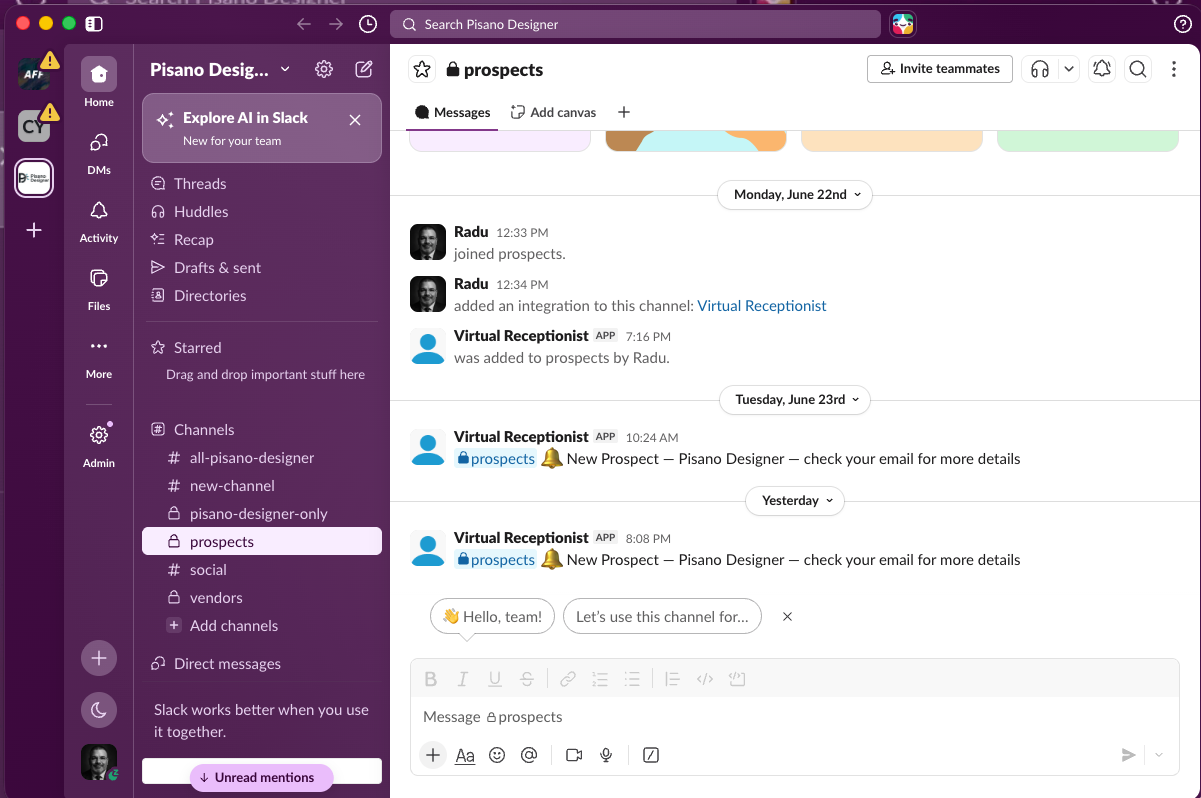
The Slack alert Clearline sends the moment a real call comes in, indicating to check my email. Less information is placed on Slack to minimize data leakage.
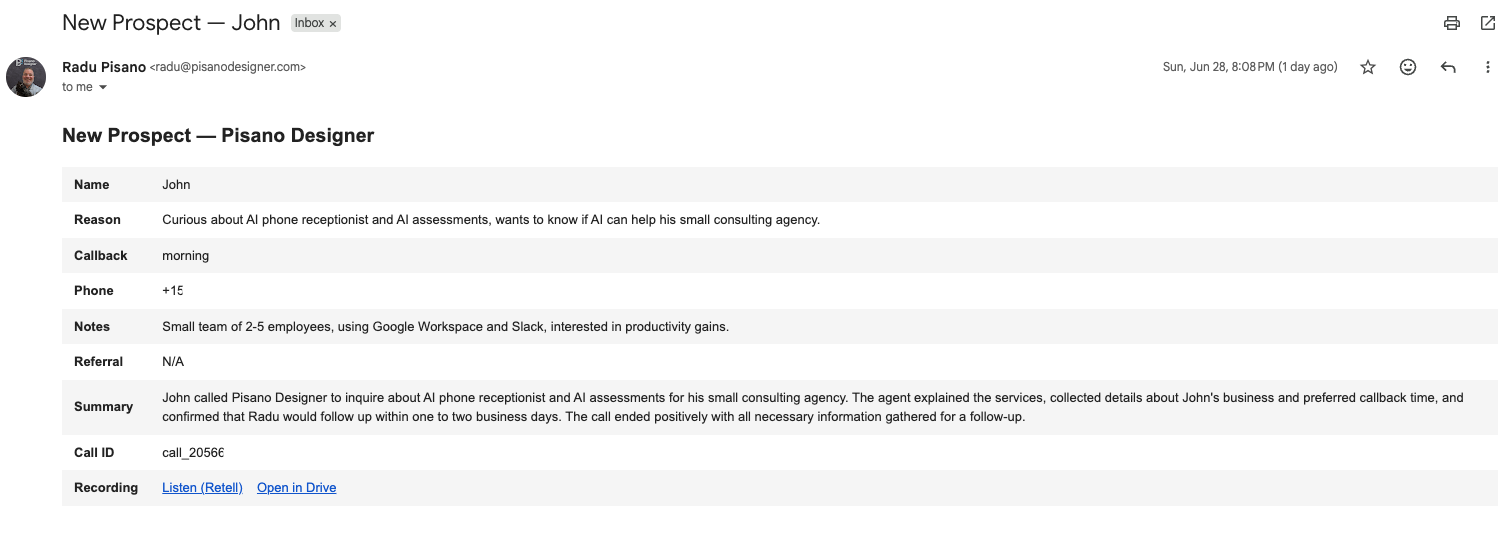
The email version of the same alert, with the full call summary and a link to replay the entire conversation.
What the setup does and what I deliberately left out
This AI receptionist, the one I built for my own business and called Clearline, is built to do one thing well: pick up every call, sound like a person, answer basic questions from a knowledge base, screen out spam and robocalls, capture the lead’s name and contact details, and tell the caller that a real person will follow up within 24 to 48 hours. For every call that clears that bar, you get a Slack alert and an email with a summary and a full recording of the conversation.
What I deliberately did not give it: scheduling access, account connections, or payment processing. This is not a do-everything agent. The more you bolt on, the more places it can fail in front of a real customer. Every additional capability is an additional failure point. A simple setup that works beats a complex one that breaks on a live call. I wrote about that design philosophy and where the AI node actually sits within an automated workflow in “automation vs. AI: what’s the difference.”
When I described my business, a small consulting agency using Google Workspace and Slack with two to five employees, the AI captured that context, confirmed what Radu would need before calling back, and wrapped the call cleanly. I was told a real person would follow up. That’s the handoff. The AI caught and warmed the lead. The human closes it.
Bottom line: keeping the scope narrow is a design decision, not a limitation. The goal was to stop losing leads before the human even gets a shot at them.
Where the human employee still has to do the work
Think of AI as a new hire. When you bring someone on, you don’t hand them everything on the first day. You give them the tasks they can handle well, you train them with the context they need, and you keep the judgment calls for yourself. That’s true even on a fully human team. The work gets matched to the person who can do it best.
The front desk work, picking up every call, answering the same questions, screening out junk, is exactly the kind of repeating, pattern-based task you can delegate. The AI handles it the same way every time without getting tired or missing a call. What you don’t delegate is the part that requires you: reading the situation, building trust, understanding what the customer actually needs, and closing the deal.
Business relationships run on trust. That part can’t be automated. What the AI does is hold the door open long enough so that the lead is still warm when you call back. The caller was told someone would follow up in 24 to 48 hours, which means there’s a potential customer on the other end of the line expecting your call. That’s a different situation than a voicemail sitting in a queue that may or may not get returned.
The AI catches the lead. You close it. That handoff is the whole design.
Frequently asked questions
How much does a missed call actually cost a small business?
Using a close rate of 1 in 4 and a customer value of $500, missing 40% of 50 weekly calls amounts to roughly $130,000 a year in lost revenue alone. Add the cost of your own time spent answering calls you did catch, around $11,700 a year at $75 an hour, and the total in that example reaches $141,000. Cut every number in half, and you’re still looking at around $65,000 a year.
Will an AI receptionist sound robotic to my customers?
A poorly configured one will, and that outcome is worse than missing the call because it puts a bad experience in front of the customer with your name on it. A well-built AI receptionist opens with “How can I help?” and pulls from a knowledge base to answer questions naturally, without button menus or keyword prompts. The demo call in this video shows what that sounds like in practice.
Can an AI receptionist filter out robocalls and spam?
Yes, and in practice this was one of the more useful results from the setup described here. On a single day captured in the video, 11 automated calls came in and were handled without requiring any attention. The AI recognized the pattern of an automated message and ended the call cleanly without passing it through as a real lead.
What should I not let an AI receptionist do?
Don’t connect it to your scheduling system, your accounts, or payment processing unless you’ve tested those integrations thoroughly and accepted the risk of a failure happening in front of a live customer. Every capability you add is another place the system can break on a real call. The setup described here deliberately excludes all three of those functions and handles only call capture, basic Q&A, and lead logging.
How does the AI receptionist hand off the lead to a human?
The caller is told that a real person will follow up within 24 to 48 hours, which sets an expectation and keeps the lead warm. After the call, you receive a Slack notification and an email with a summary of the conversation and a full recording you can replay. The human who calls back has the context they need before dialing.
The question was never AI receptionist, yes or no
It was always how much AI to use, where to use it, and where the human still has to be in the loop. The front desk is a strong fit because the work repeats, the pattern is predictable, and every missed call has a real dollar value attached to it. The closing conversation is not a fit, and it was never designed to be.
If you want to talk through whether this setup makes sense for your business, what it would take to build it, and where the actual risks sit, that’s a conversation worth having before you buy anything or commit to a tool. Book a call with Radu here, and we’ll look at your specific situation.